
September 06, 2025 • 7 min read

Table of Content
AI is changing how kids learn, play, and interact with each other, but parents need to be aware of the risks. The concerns are worsening, from exposure to harmful content to depending too much on smart devices. To help kids use AI safely, it's essential to know the hidden threats. Parents need to talk openly with their kids about the pros and cons of things so that they can learn and be responsible. This article looks at the most common dangers. It gives valuable tips on talking to kids so families may protect their developing brains while allowing them to use technology.
These days, AI is used a lot in classrooms. Kids use learning apps with AI features to make their education more personalized by changing the pace of lessons. Chatbots help you answer questions immediately, while homework helper applications provide quick explanations and answers. These devices are meant to help kids learn, but if they use them too much, they might lose their critical thinking ability. If AI answers problems too quickly, kids can miss out on problem-solving, essential for long-term growth. Parents need to educate their kids that AI is a tool, not a way to avoid doing hard work.
AI is a part of practically everything a youngster does outside of school. AI is utilized in games to make characters, levels, and experiences unique to each player. Voice assistants like Siri and Alexa can keep you entertained, remind you of things, and answer your questions. AI algorithms on social media sites propose friends, movies, and other things that can change how kids spend their time. These features may seem helpful, but they can lead to addiction, privacy issues, and unsafe information for youngsters. When parents see these interactions happen often and learn more about how AI affects their kids' behavior and routines, it's even more important to talk about how to utilize it safely.
Many AI systems and apps collect private information about kids, such as where they are and what sites they like to visit. This raises serious privacy issues, especially when parents don't know how much information is shared or stored. AI tools might give you answers that are wrong or prejudiced. Kids could take things for granted, which could lead to misunderstandings. Kids who don't have their parents around could eat erroneous information that changes how they learn or think.
AI can help with research but if people use it all the time they might become less independent. Children are missing out on chances to learn more and become more persistent if they rely on chatbots for answers instead of finding things out on their own. You can use AI chatbots when you're around children. Without guidance from adults, these gadgets could display dangerous content that could be bad for their mental health. AI typically offers answers that are quick and easy to understand. This ease of use might prevent students from asking questions, thinking about their choices, or coming up with new approaches to handle problems.
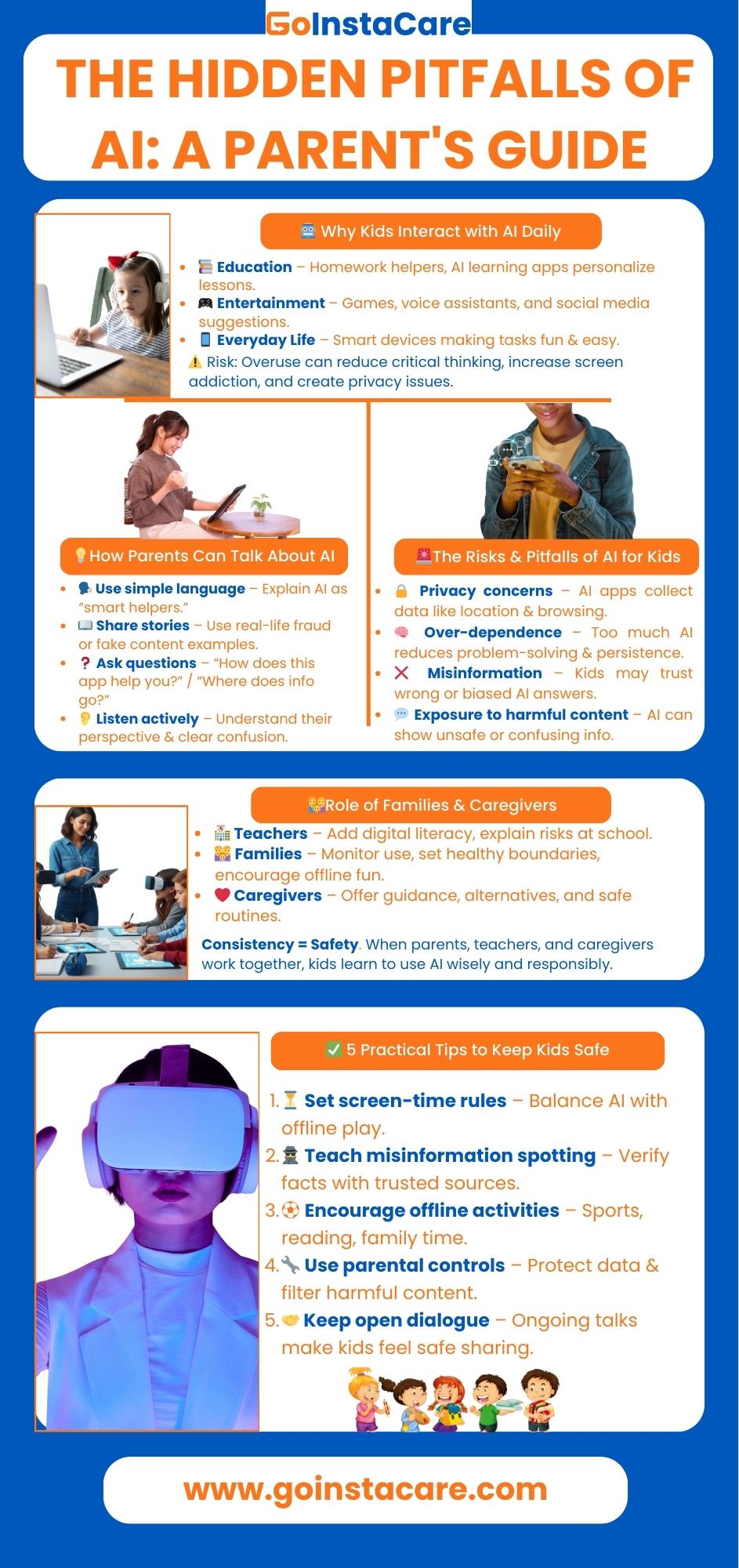
Parents should talk to their children about AI in basic and relevant terms so they can understand how it affects their life. Seniors can learn about algorithm and risks but children may think of AI as smart assistants. Using real-life examples makes the idea less intimidating and makes people more likely to talk about it. You can start by asking children how they use apps, games, or gadgets that incorporate AI. Questions like "How does this app help you?" and "What do you think it does with your information?" make individuals think more deeply. Listening to children can help parents figure out how well they understand things and clear up any confusion.
Kids often learn best through stories. Parents can tell about real AI fraud or abuse cases, like attempts to spread false information online or voice-cloning fraud. Telling these as warning stories makes the risks clear without scaring people for no reason. Showing kids how abuse can affect real people makes them more careful. Parents make it easier for kids to talk about AI by starting with language they can understand, encouraging questions, and using examples from daily life. This strategy helps kids learn how to use technology well and gives them the power to grasp the pros and cons of technology.
Create limits on daily use of AI-powered apps, games, or platforms. Boundaries help kids enjoy technology without becoming overly dependent or exposed to unnecessary risks.
Explain to children that not everything AI say is true. Encourage children to check facts with trusted sources and build critical thinking.
Promote outdoor games and family interaction to ensure children don't spend all their time with AI tools. Balance supports healthy development and stronger social skills.
Adjust device and app settings to protect personal data and filter harmful content. These tools reduce risks while giving kids a safer online environment.
Maintain regular conversations about technology use. By staying approachable, parents ensure kids feel comfortable sharing concerns or asking questions about AI experiences, strengthening long-term digital safety.
Teachers and caregivers have a crucial role in instructing children on the responsible use of technology. They could teach children how to use the internet safely, talk about the good and bad things about AI tools and explain how they work. Adding digital literacy programs in their lessons teachers may assist children learn how to question and check information. When teachers and caregivers work together it is easier for children to use technology the right way.
Families may help children to learn these skills at home by setting limits, monitoring how much they use the internet and encouraging them to talk about their online experiences. Caregivers can help them by suggesting alternatives like reading or sports.
Consistency helps to clear confusion and ensure children to see safety messages at home and school. When families and caregivers work together, kids feel safe using AI. By working together, they are safe from harm and learn how to be responsible for the rest of their lives. This helps them use technology wisely and smartly at every growth stage.
The main dangers of AI for kids are privacy issues with data collection, exposure to misleading information, dangerous interactions with chatbots, too much dependence on assignment programs, and a lack of critical thinking skills, all of which can hurt learning and expected growth.
Telling simple stories, comparing AI to a "smart assistant" that sometimes makes mistakes, and reminding kids to always ask their parents before sharing or trusting information are all good methods to explain the dangers of AI to young kids.
If used correctly, AI tools can be safe for schoolwork. They help with practice and explanations but shouldn't replace problem-solving methods. Parents and teachers must keep an eye on their kids to ensure they get a good education.
Caregivers help kids use AI safely by setting rules, educating them on how to behave online, keeping a watch on their interactions, and encouraging them to ask questions. Their guidance ensures that children benefit from AI while mitigating risks such as misinformation, privacy issues, and over-dependence.
Screen time managers, parental control tools and secure search are examples of apps and settings that can help keep children safe online. These makes it easier to interact with others online, keep your personal information secretly and reduce the chance of seeing harmful content.
AI can be helpful but dangerous if you don't know how to utilize it correctly especially for children who might not know it is dangerous. It can be help with learning but it can also cause problems including too much dependency and misleading information. Parents can stay involved by teaching their children to question what they see online and ensuring they properly engage with others for their age.
Families and childcare providers need to work together to teach children how to be safe and how to use technology. Every day, caregivers assist children to learn about dangers, monitor how they use AI, and push them to do things that are good for them. GoInstaCare delivers Instant Quality Care for Your Loved Ones, so you may trust their guidance. Children can learn and use technology in safe and supportive environments when they are with caregivers.
Cities
Houston
Dallas
Austin
San Antonio
Miami
Chicago
Find Here
Companies